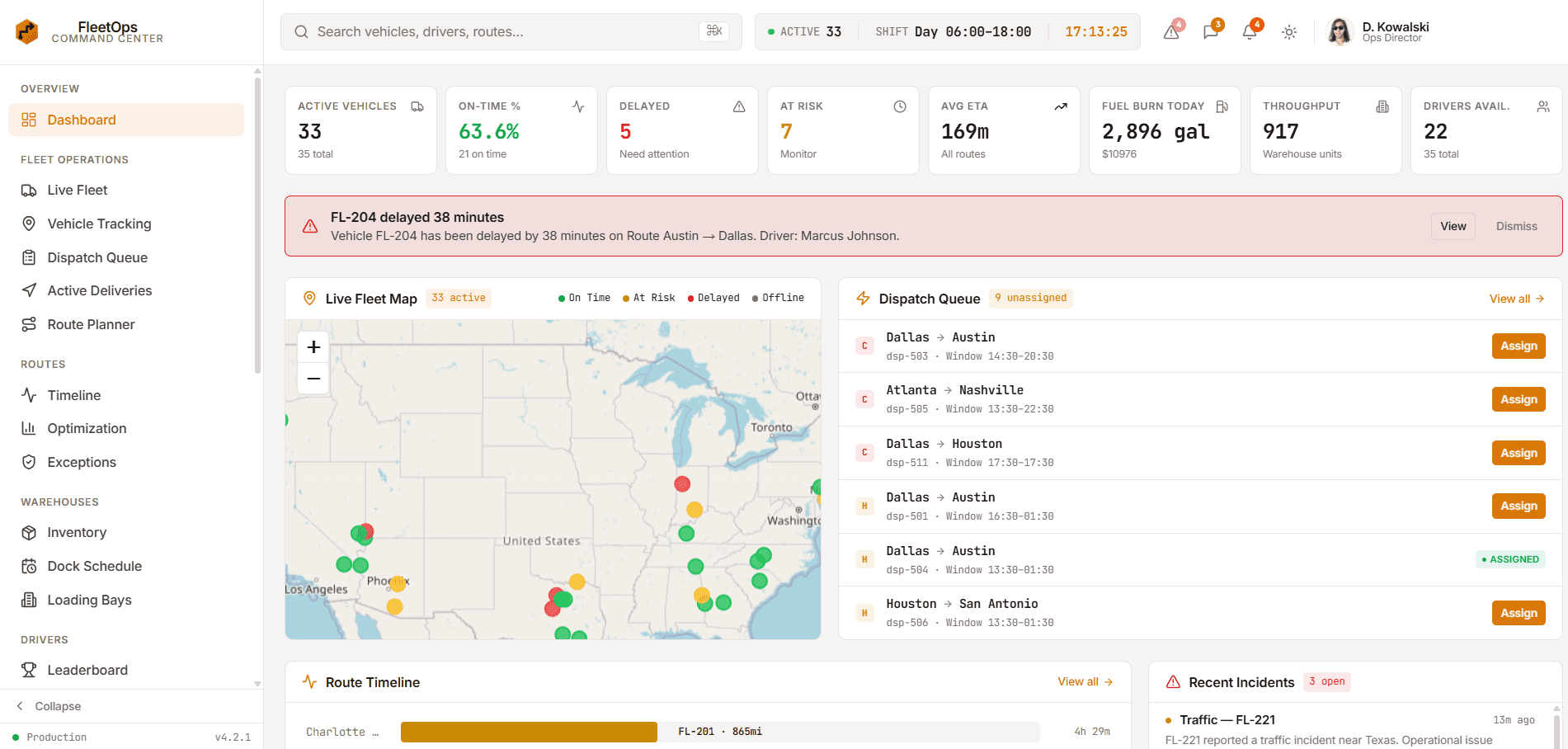
Enterprise dashboards are operational systems, not oversized collections of cards. The right template should help teams understand risk, coordinate work, inspect data, and complete high-value actions without rebuilding the entire application shell.
Start With The Operating Model
Map the people, decisions, handoffs, and time pressure behind the product before comparing visual styles. A fleet dispatcher needs live exceptions and route actions; a clinical team needs patient context and task coordination; a trading user needs dense market state with low interaction latency.
A template is most valuable when its navigation and page hierarchy resemble the real operating model. Renaming a section is easy. Rebuilding the relationship between overview, work queue, detail panel, alerts, and settings is much more expensive.
- Identify primary operator roles
- List recurring decisions and exception workflows
- Separate overview metrics from actionable queues
- Confirm the detail view preserves enough context
Evaluate Data Density Without Losing Clarity
Enterprise products often need tables, charts, filters, status signals, and actions on the same screen. Density is useful only when typography, spacing, hierarchy, and state colors help users scan reliably.
Test realistic long labels, missing values, loading states, empty results, narrow laptop widths, and permission-restricted actions. A polished default screenshot is not evidence that the interface survives real operational data.
Inspect Shared Architecture And State Boundaries
Review the application shell, route model, reusable primitives, state stores, mock data, and integration seams. Presentation components should not be inseparably tied to sample records or browser-only state when the production system will need authenticated server data.
Strict TypeScript, consistent tokens, accessible controls, isolated domain data, and understandable dependencies reduce migration risk. Authentication, authorization, audit logging, and sensitive actions still require server-side implementation even when the template demonstrates the interface.
Choose Industry Depth Over Generic Page Count
A smaller product-specific template can outperform a huge generic admin kit when it already includes the right vocabulary and interaction patterns. FleetOps emphasizes dispatch and routes, Meridian Health emphasizes patient context, Meridian Terminal emphasizes market workflows, and Northstar Analytics emphasizes subscription revenue operations.
Broad kits remain useful for teams expecting many unrelated modules. The decision should be based on expected customization cost, not the headline page count alone.
Plan The Production Integration Pass
Replace sample data with approved services, enforce permissions on the server, add validation and rate limits, instrument critical actions, test responsive and keyboard behavior, and review every dependency before launch.
For regulated or financial workflows, treat template content as interface scaffolding. Compliance, clinical decisions, market data licensing, transaction execution, security controls, and audit retention must be designed for the actual organization and jurisdiction.
Explore more on mtverse
Browse dashboard, ecommerce, SaaS, landing page, portfolio, and HTML templates, or explore reusable UI component source.