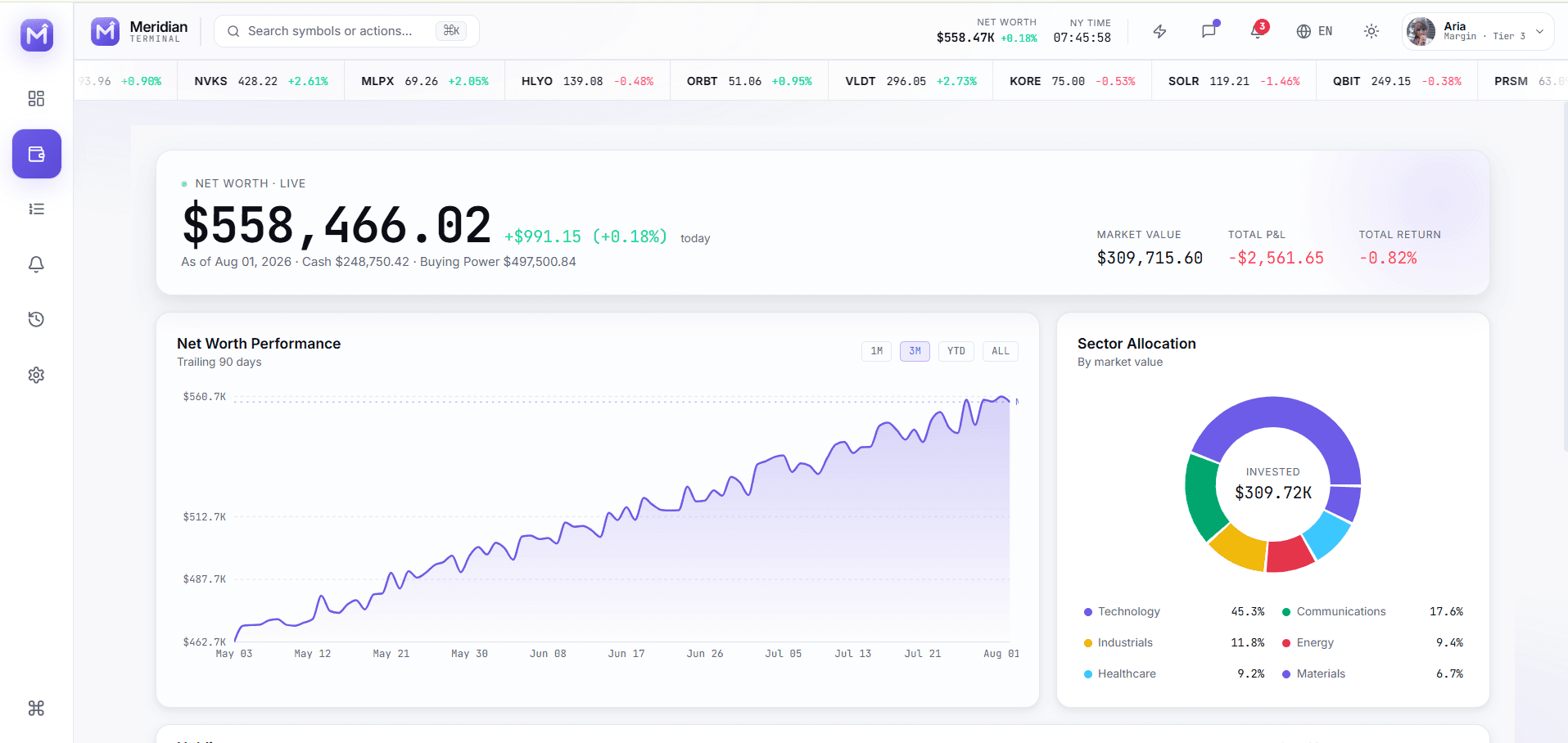
Trading interfaces compress a large amount of changing information into a small workspace. Meridian Terminal demonstrates a professional multi-panel layout while keeping mock market data and simulated actions clearly separated from production brokerage infrastructure.
Preserve Market And Order Context
Watchlists, charts, order books, order tickets, positions, and recent fills should reinforce one another. When a user changes the selected symbol, every connected panel needs an explicit and predictable update model.
The template groups these surfaces in a desktop terminal with a dedicated mobile shell, reducing the risk of simply shrinking a dense desktop grid until it becomes unusable.
Make Order Actions Deliberate
Order side, type, quantity, price, estimated value, buying power, review state, and submission feedback must be understandable before execution. Keyboard efficiency should never remove confirmation or risk controls required by the real product.
Production teams need server-side validation, idempotency, authorization, market-session rules, instrument restrictions, audit events, and clear recovery behavior for rejected or uncertain submissions.
Handle Live Data As A System Concern
The demo tick cycle is useful for testing reactive presentation. A live product must also address licensed feeds, sequencing, reconnects, stale quotes, clock synchronization, corporate actions, currency, market calendars, and regional availability.
Separate the visualization and state interfaces from the transport layer so the UI can be tested with deterministic fixtures and production feeds can be introduced without rewriting the entire workspace.
Evaluate Portfolio And Account Workflows
A complete terminal includes more than a chart. Positions, performance, allocation, orders, alerts, history, profile, security, API, billing, team, notification, appearance, and shortcut settings all affect the usable product.
Meridian Terminal includes these supporting modules so fintech teams can start from a coherent operating environment instead of a single disconnected market screen.
Explore more on mtverse
Browse dashboard, ecommerce, SaaS, landing page, portfolio, and HTML templates, or explore reusable UI component source.