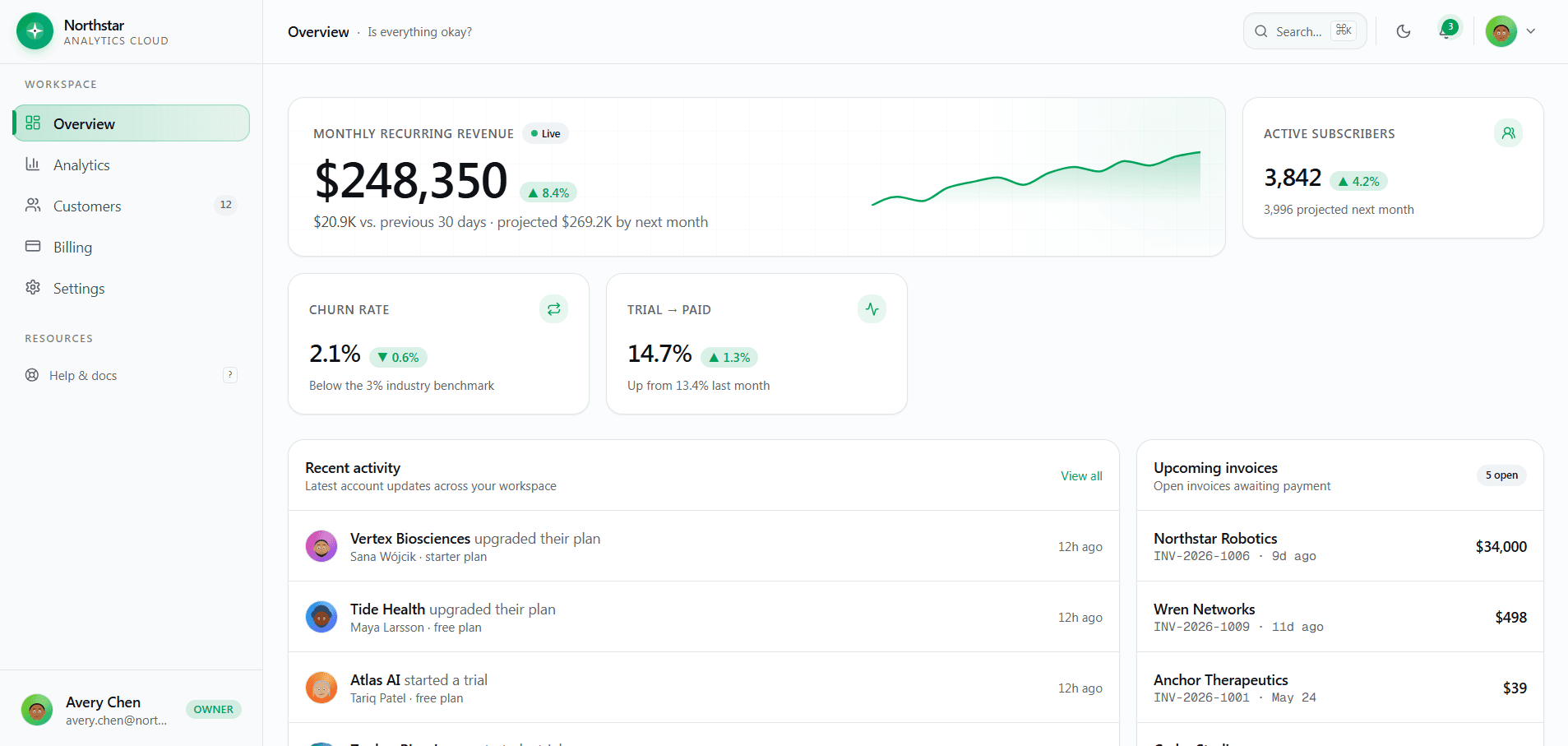
SaaS dashboards should connect financial performance with the customers and product behavior behind it. Northstar Analytics combines revenue metrics, customer operations, billing, team administration, and product support in a real routed Next.js application.
Define Revenue Metrics Before Drawing Charts
MRR, ARR, expansion, contraction, reactivation, churn, conversion, and active subscriber counts need explicit definitions. Teams should agree on currency, time zone, plan changes, refunds, trials, and delayed events before treating a dashboard as authoritative.
Use the template chart and KPI patterns as presentation components, then connect them to a documented metric layer rather than calculating business logic independently in each React component.
Connect Aggregate Metrics To Customers
Operators need to move from a revenue change to the affected customers, plans, invoices, usage, and account history. Search, filters, sorting, selection, bulk actions, and detail drawers help make analytics operational.
Northstar includes deterministic customer records and management interactions so the integration can be designed against realistic table density before a live database is connected.
Treat Billing As A Workflow
Plan comparison, usage limits, payment methods, card brands, invoices, reminders, and payment actions should use consistent amounts and status language. Financial truth must ultimately come from the payment provider and verified server events.
Client-side payment demonstrations should be replaced with authenticated server routes, signed webhooks, idempotent processing, reconciliation, and controlled entitlement updates.
Include The Administrative Surface
Profile, team roles, API keys, notification preferences, authentication, documentation, and support are part of the SaaS product, not optional extras. They determine whether customers and internal teams can manage the account safely.
Northstar uses real Next.js routes, strict TypeScript, loading and error states, route metadata, self-hosted avatars, and clear service integration points to make that broader product surface easier to adapt.
Explore more on mtverse
Browse dashboard, ecommerce, SaaS, landing page, portfolio, and HTML templates, or explore reusable UI component source.