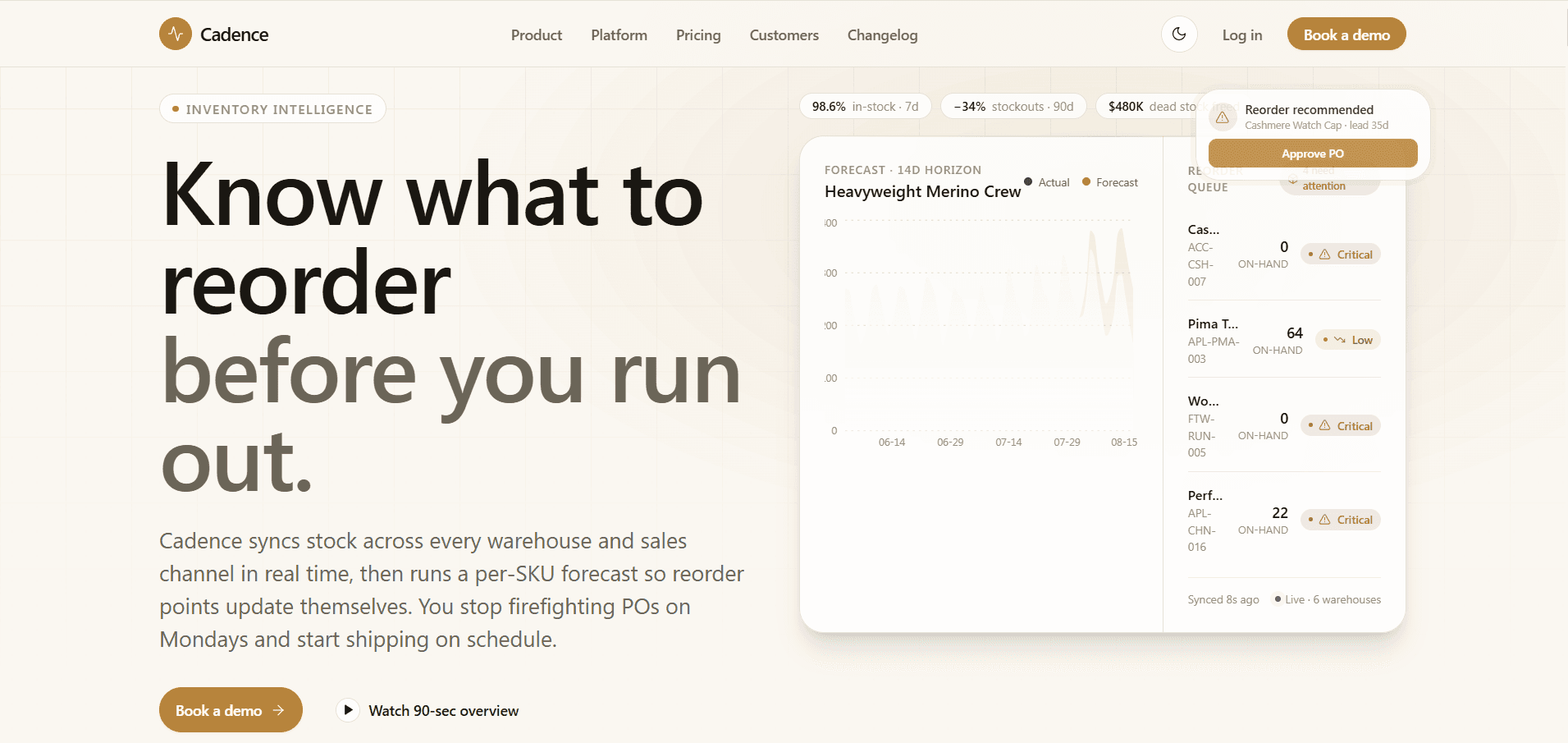
Inventory forecasting software sells a better operating decision, not a chart. The landing page must show how the product reduces stockouts, excess inventory, manual planning, and delayed purchasing while remaining credible to data-literate retail teams.
Lead With The Decision The Forecast Improves
A useful headline makes the operating outcome clear: which SKUs need attention, when inventory will run out, what to reorder, and how much working capital can be protected. Avoid leading with broad AI language that could describe any product.
Cadence pairs its positioning with a forecast chart, SKU status table, and replenishment alert so the product category is understood before the visitor reaches the first feature section.
Use Believable Product Evidence
Product visuals should use realistic units, time ranges, status labels, uncertainty, and operational terminology. A perfectly smooth line and round-number KPIs can weaken trust with experienced buyers.
Combine several focused views—forecast, velocity, purchase order, and KPI monitoring—rather than an unreadable screenshot of the entire application. Explain what decision each view supports.
- Show forecast horizon and confidence context
- Use SKU-level examples
- Explain replenishment recommendations
- Connect alerts to operator actions
Quantify Outcomes Without Inventing Proof
Customer outcomes are strongest when they name the starting point, measurement window, implementation scope, and metric definition. If real customer evidence is not available, label examples clearly instead of presenting fabricated logos or testimonials as fact.
Create a repeatable case-study structure for stockout reduction, inventory turns, planner time, forecast error, and cash released. Link detailed evidence when the claim materially affects a buying decision.
Answer Integration And Implementation Questions
Retail buyers need to understand supported commerce, ERP, warehouse, and purchasing systems; data freshness; onboarding effort; forecast inputs; permissions; and export options. Integrations and FAQ should answer these questions before a sales call.
Cadence includes commerce and fulfillment integration marks plus an operational FAQ structure. Replace all example claims with the capabilities and limitations of the real product.
Design The Conversion Path For Buying Stage
Offer self-serve pricing when the product supports it, but keep a qualified demo path for complex data and implementation requirements. Contact forms should request only information the sales or onboarding team will use.
Track CTA exposure, form start, validation failure, completion, and downstream qualification. Optimize for useful pipeline rather than raw submission volume.
Explore more on mtverse
Browse dashboard, ecommerce, SaaS, landing page, portfolio, and HTML templates, or explore reusable UI component source.